Chrome Extension — Free to Install

TurboFlow Bulk AI Generation for Google Flow.

Paste your prompts. Hit go. Images and videos generate in parallel, upscale to 2K, and land in your folder — hands-free.

🔒 Zero data collected Runs in seconds 🆓 No credit card
LIVE DEMO

You're Still Doing This by Hand?

😩 Copy-pasting prompts one at a time like it's 2019
😤 Right-click → Save As → Rename → Repeat × 200
💀 Downloads that silently fail halfway through
🔇 Settings that reset themselves when you're not looking
🔥 Tools that break every time Google sneezes
Watching a progress bar for 3 hours straight

TurboFlow was built to kill every single one of these.

Everything You Need. Nothing You Don't.

⚡ Control

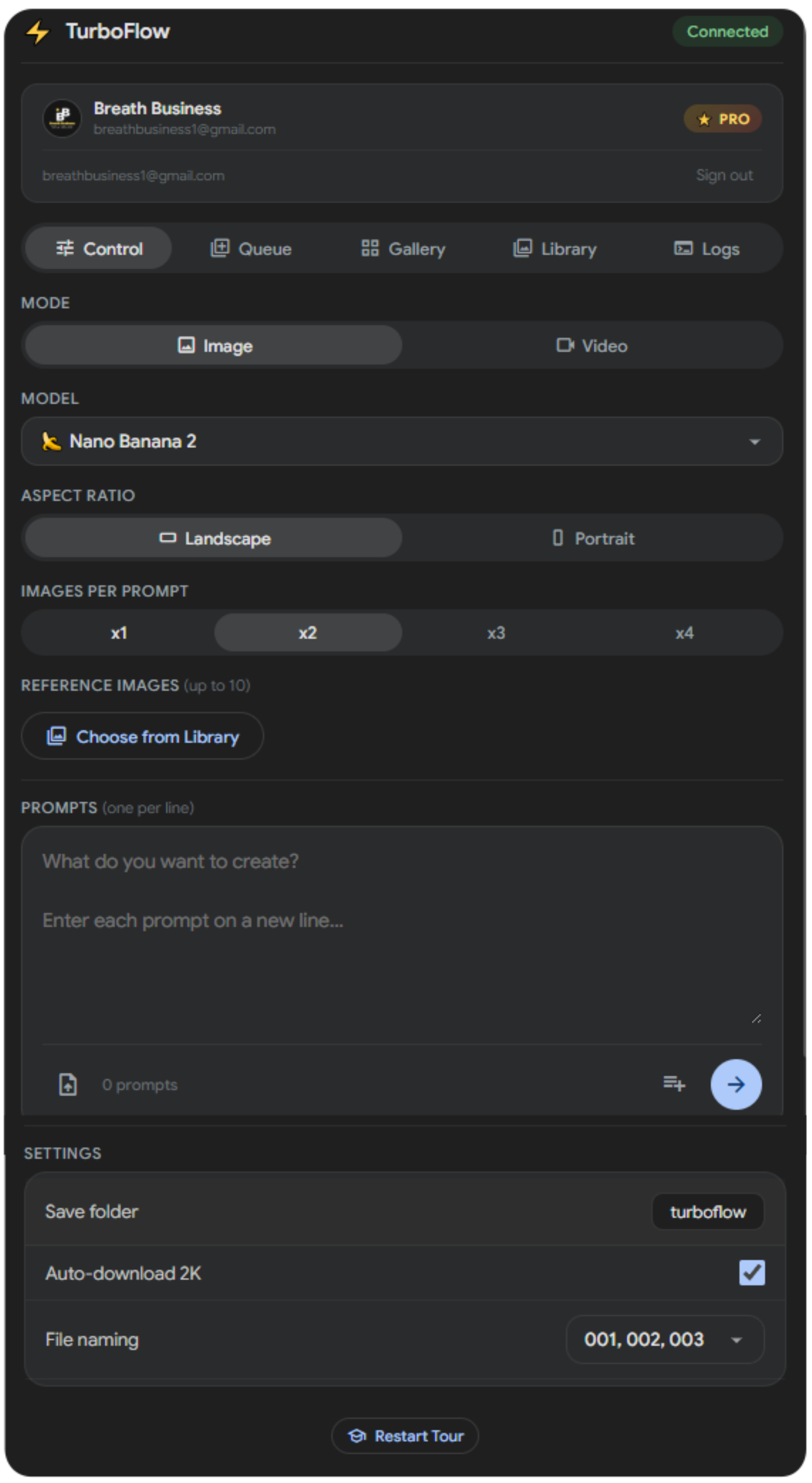
Your Mission Control Panel

Switch between Image and Video mode. Pick your model, aspect ratio, and count. Paste your prompts — one per line, or import a .txt file. Map different references to each prompt. Hit the arrow and walk away.

🖼️ Image
  • Nano Banana Pro & 2 models
  • Up to 4 images per prompt
  • Reference images (up to 10)
  • Landscape & Portrait
  • Auto-upscale to 2K
🎬 Video
  • Veo 3.1 — Fast & Quality
  • Up to 4 videos per prompt
  • Start Frame & Start+End Frame
  • Reference mode for style
  • 720p or 1080p upscale
📎 Reference Mapper NEW

Assign different reference images to each prompt individually.
🔗
Auto 1:1
Upload images — matched to prompts by order
📋
Same for All
One image applied to every prompt
🏷️
Auto-Tag
Use @tags in prompts — matched to tagged library images
Shared Settings
📁 Custom save folder ⬇️ Auto-download 🏷️ 3 naming modes 📄 Import .txt prompts 🔢 001, 002, 003…
TurboFlow Control Tab
📋 Queue

A Production Pipeline, Not a To-Do List

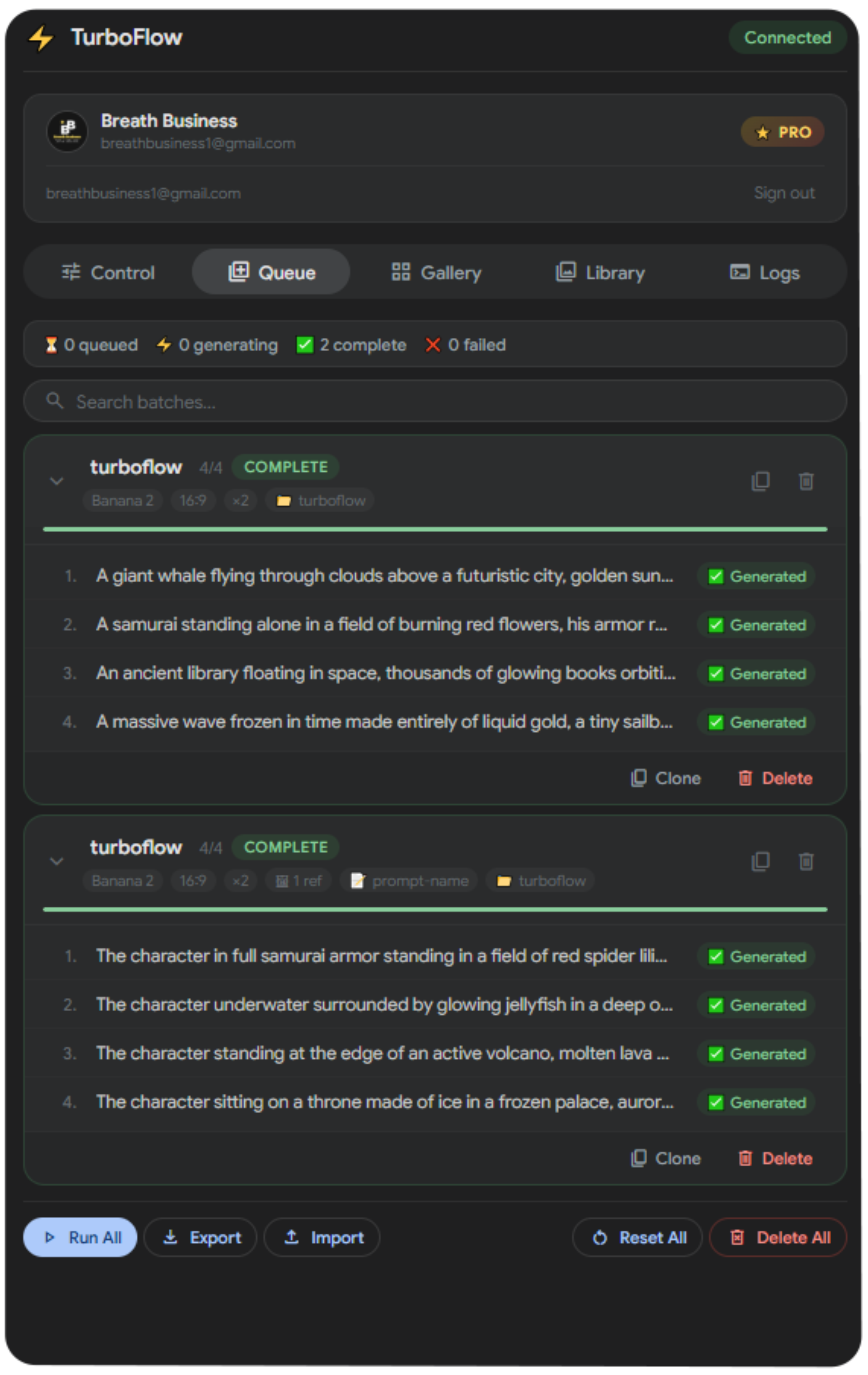
Stack multiple batches with different settings. They auto-chain — when one finishes, the next starts. Edit prompts inline, retry failures, duplicate batches, undo deletes.

⛓️ Batch Management
  • Auto-chain batches hands-free
  • Inline prompt editing
  • Per-prompt retry on failure
  • Duplicate & rename batches
  • Undo deleted batches
📦 Organization
  • Import / Export as JSON
  • Search across all batches
  • Status tracking per prompt
  • Run All with one click
  • Reset or delete in bulk
Batch Status Tracking
⏳ Queued ⚡ Generating ✅ Complete ❌ Failed ⚠️ Partial 📊 ETA estimates
TurboFlow Queue Tab
🖼️ Gallery

Watch Your Images Land in Real-Time

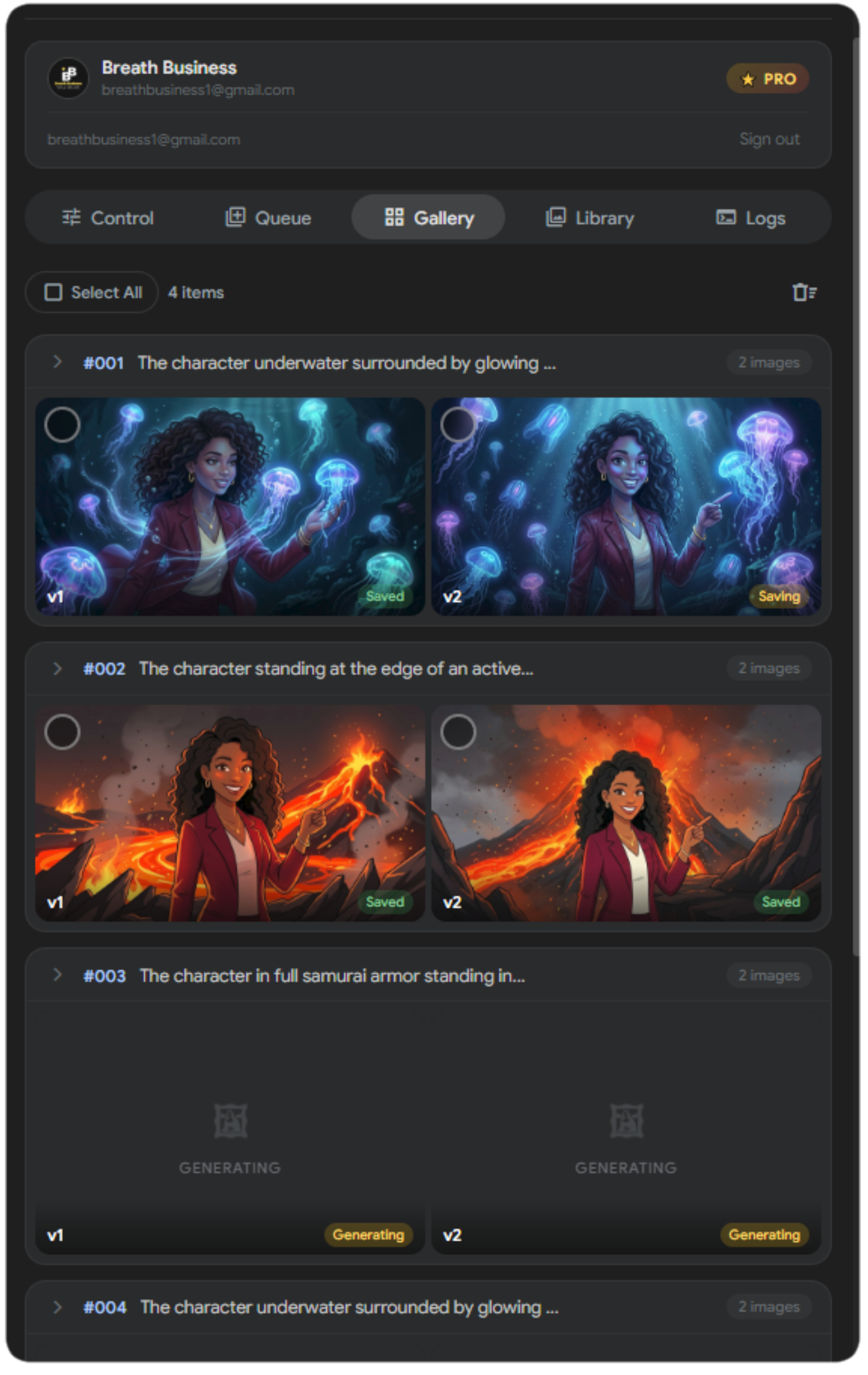
Every generation appears live — grouped by prompt with status tracking. Select what you want, pick your quality, and bulk download. Full preview modal with keyboard navigation.

👁️ Live Preview
  • Real-time generation previews
  • Grouped by prompt
  • Shimmer placeholders while generating
  • Full-screen preview modal
  • Arrow key navigation
⬇️ Download
  • Select all or pick individually
  • 2K upscaled or standard quality
  • Bulk download selected
  • Per-image download button
  • Persistent gallery across sessions
Image Status
🔄 Generating 🖼️ Ready ⬇️ Saving ✅ Saved ❌ Failed
TurboFlow Gallery Tab
📸 Library

Your Creative Assets, Always Ready

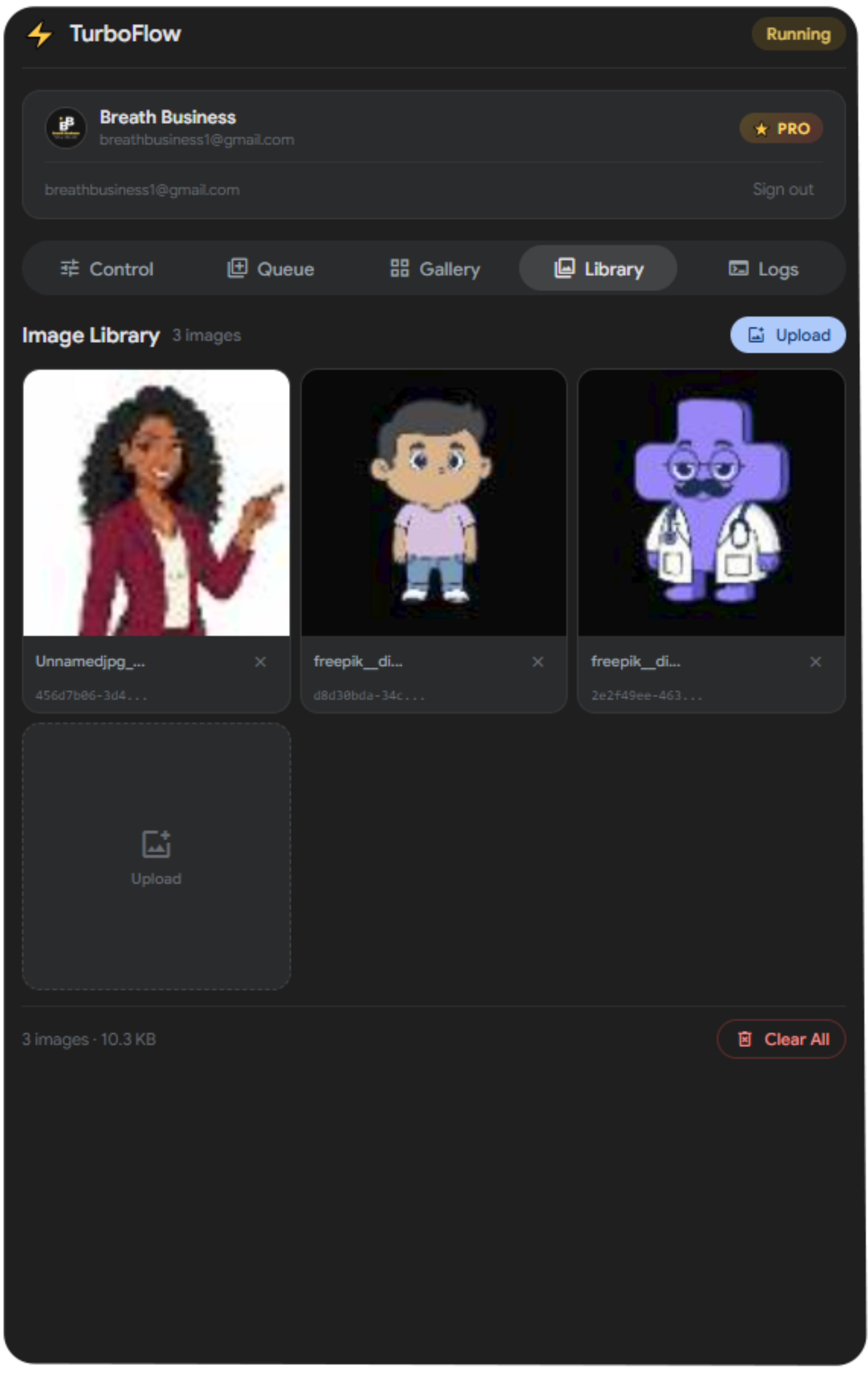
Upload reference images once, use them across every batch. Tag images with @names and let the mapper match them to your prompts automatically. Drag and drop supported. Bulk upload with 10x parallel processing.

📤 Upload & Manage
  • Upload once, reuse everywhere
  • Drag & drop upload
  • Bulk upload — 10x parallel
  • Auto-upload to Google Flow
  • Persistent across sessions
🎯 Assign & Use
  • Picker modal for quick selection
  • Start frame for video
  • End frame for transitions
  • Style reference for consistency
  • Up to 10 reference images
🏷️ @Tag System NEW

Tag library images with names like @hero, @logo, or @background. Then use those @tags in your prompts — the Reference Mapper matches them automatically.

Example
1 Tag an image @hero in Library
2 Write @hero standing on a cliff in your prompt
3 Auto-Tag matches it instantly
TurboFlow Library Tab
🔍 Logs

Full Transparency. Zero Guesswork.

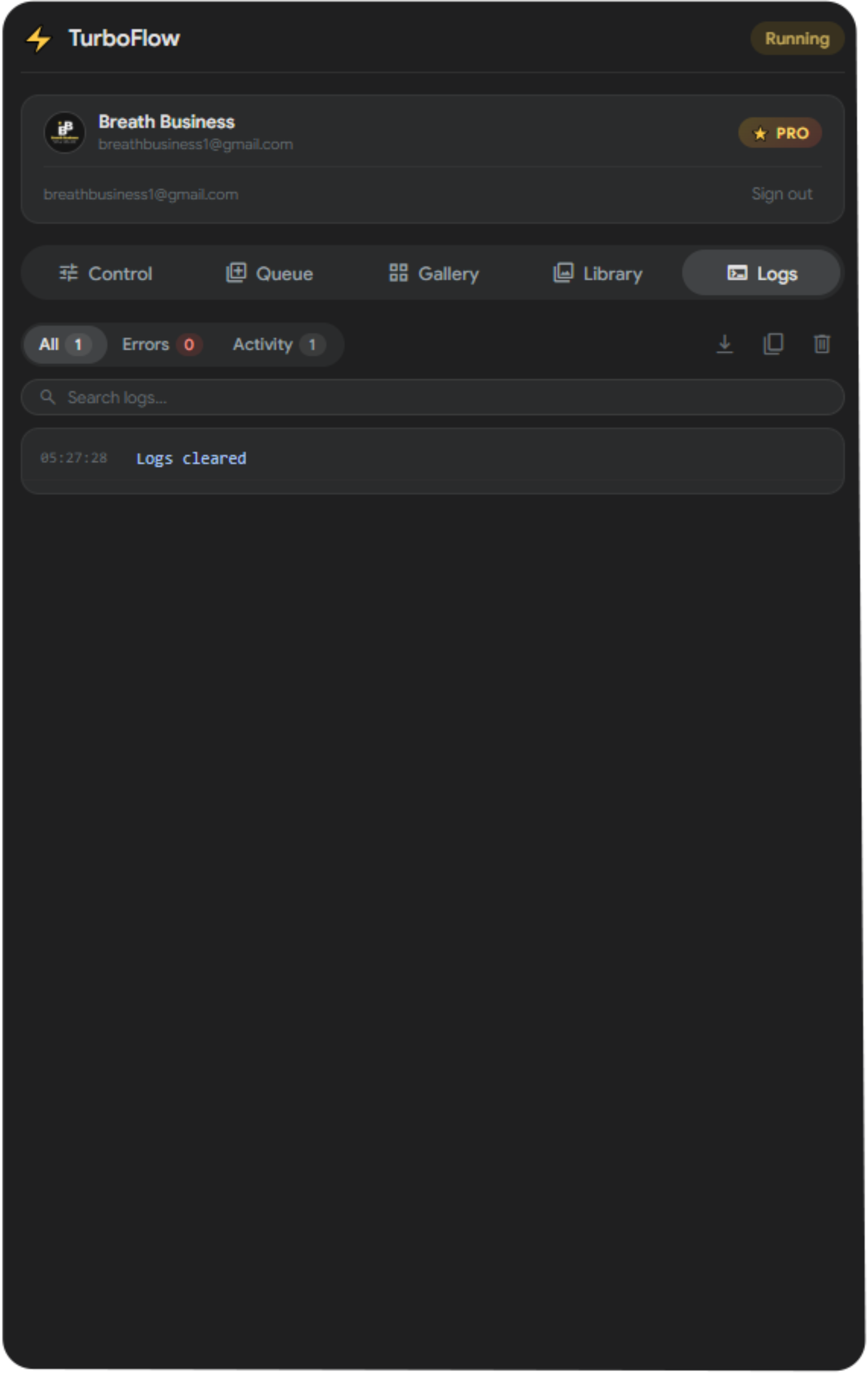
Every API call, every retry, every download — logged in real-time. Filter by errors, search for specific events, copy the full log for debugging. Nothing happens in the dark.

🔎 Monitor
  • Real-time activity stream
  • Color-coded by severity
  • Timestamped entries
  • Auto-scroll with manual override
  • Up to 6,000 entries
🛠️ Debug
  • Filter: All / Errors / Activity
  • Search across all logs
  • One-click copy to clipboard
  • Rate limit tracking
  • Retry & fallback visibility
Log Types
🔵 Info 🟢 Success 🟡 Warning 🔴 Error
TurboFlow Logs Tab

The Old Way vs. The TurboFlow Way

❌ Manual / Other Tools
  • One prompt at a time
  • Save each file manually
  • Random UUID filenames
  • Same reference for every prompt
  • Breaks on every Google update
  • No retry — fails silently
  • Babysit the screen for hours
  • 100 images = 4+ hours of your life
⚡ TurboFlow
  • All prompts at once — parallel
  • Auto-download + 2K upscale
  • Clean numbered: 001, 002, 003
  • Per-prompt reference mapping
  • Survives updates — built different
  • Smart retry + auto-fallback
  • Walk away — it handles everything
  • 100 images = ~10 minutes, hands-free
⭐ TurboFlow PRO

Go Unlimited

$12 /mo

No daily caps.

Unlimited Image Prompts
Unlimited Video Prompts
💬
Priority Support
Direct access when you need help.
Upgrade directly inside the extension. Cancel anytime.

FAQ

A Google account with access to Google Flow, and Chrome. That's it. TurboFlow works with any Google plan that has Flow access. Ultra users get 4K upscale.

Install → Sign in with Google → Start generating. That's the whole setup. TurboFlow includes a 14-step interactive walkthrough that guides you through every feature on your first launch. Most users are generating within 60 seconds.

Most tools break because they depend on the page layout. TurboFlow is engineered differently — it communicates at a deeper level, so UI changes don't affect it. We've survived every update so far.

TurboFlow runs entirely in your browser. Your prompts, images, and videos never leave your machine and are never sent to our servers. We don't collect, store, or transmit any of your creative work. Zero telemetry on your content.

Nothing is locked. Free and Pro have the exact same features — all video modes, 4 images per prompt, reference mapper, auto-chain, library tags, 1080p upscale, import/export, everything. The only difference is daily prompt limits. Free gives you 10 image prompts and 3 video prompts per day. Pro removes the cap entirely — unlimited prompts, no waiting until tomorrow.

Yes — Veo 3.1 in Fast and Quality modes, in both landscape and portrait. All video modes are free: Text-to-Video, Start Frame for scene continuity, Start+End Frame for precise transitions, and Reference mode for character and style consistency. Generate up to 4 videos per prompt. Download in 720p standard or upscale to 1080p.

$12/month. Payment is handled securely through Lemon Squeezy. You can upgrade directly inside the extension — no separate account needed. Your plan is linked to your Google account and works on any device. Cancel anytime, no questions asked.

🎓
Guided Setup
14-step interactive walkthrough gets you generating in under 60 seconds. No docs needed.
🔒
Privacy-First
Your prompts never leave your browser. Zero telemetry on your creative work.
Instant Start
Install → Sign in → Generate. Free tier included. No credit card, no setup, no friction.
⭐⭐⭐⭐⭐ Trusted by creators generating thousands of images daily

Stop Babysitting.
Start Launching.

No credit card. Install in seconds.

Install TurboFlow — Free

Join thousands of creators who stopped clicking and started automating.